
Scenario:
The location of my application as been moved to another server how do i repoint my filemaker to that new server?
Resolution:
This ia a very simple process, the steps laid out below are for filemaker 17, it is very similar for other versions of filemaker.
- Open Filemaker the application
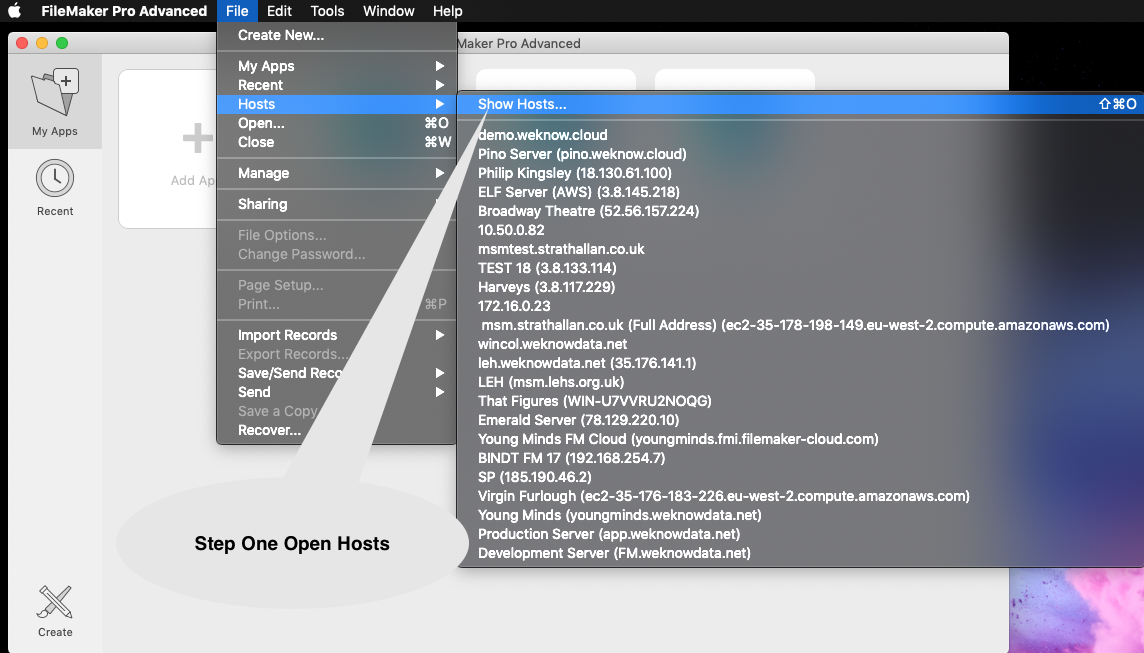
- On the menu bar click File > Host > Show Hosts
- Right click on the server you want to change
- Click "Edit Favorite"
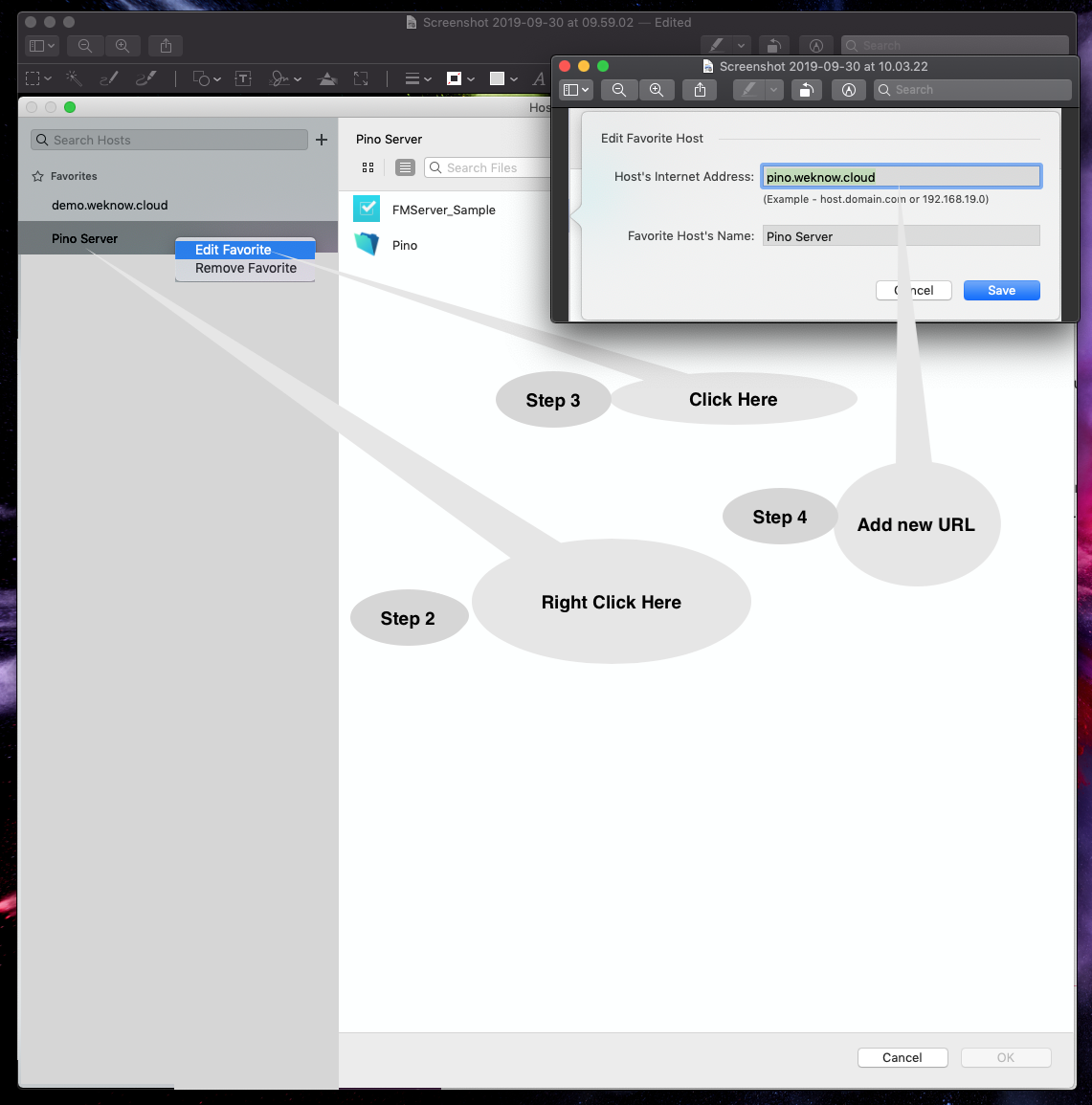
- Under Host Internet Address Enter the New Address
- You you will be asked for a login and Password (this will be provided by IT Department or WeKnowData)
- Click Save
- Click "Edit Favorite"
- Test Connection